The Business Planner That Adapts to How You Actually Work
If you have ever bought a paper planner only to abandon it by February, you are not alone. Most business planners look beautiful on the shelf but fail the moment real life hits. Meetings shift. Priorities change. A side hustle becomes a full-time operation overnight. The planner that worked in January feels restrictive by March. That is why the idea of a Business Planner that you can actually reshape as you go has started to gain traction among entrepreneurs who refuse to be boxed in by pre-printed categories they never use.
When a One-Size-Fits-All Planner Just Does Not Cut It
Think about the last time you tried to plan your week using a template designed for someone else. Maybe it had a section for "team meetings" when you work solo. Or a "client calls" tracker when most of your communication happens over email. That friction adds up. You start skipping pages, then skipping weeks, and eventually the planner becomes a pretty decoration on your desk.
A Business Planner built around the idea of full creative control changes that dynamic. Instead of forcing your workflow into a fixed layout, you adjust the layout to match how you think. That might mean swapping a weekly spread for a daily one during a product launch, or expanding your expense tracker when tax season approaches. The flexibility is not a bonus feature. It is the main reason the planner stays useful past the first quarter.
From Coffee Shop Blogger to Established E-Commerce Owner
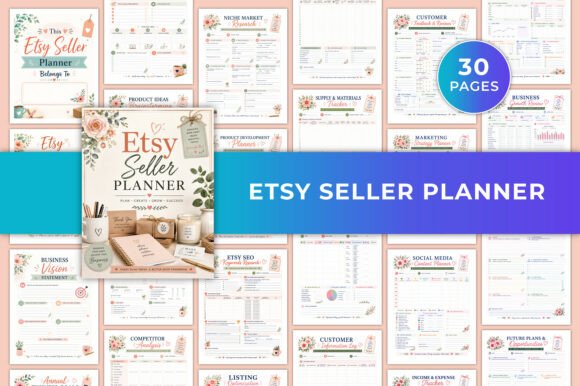
The real strength of an editable business planner becomes obvious when you look at how different users actually apply it. Consider a freelance graphic designer who just started selling digital products on Etsy. In the beginning, she needs space for brainstorming, keyword research, and pricing experiments. Six months later, her priorities shift toward order tracking, supplier contacts, and income reconciliation. A static planner would require buying a new one. With the Business Planner provided as a Canva template, she simply rearranges the pages. The monthly review sheet moves to the front. The product planner gets duplicated. The contact list expands. The planner evolves with her business rather than becoming obsolete.
On the other end of the spectrum, a life coach running group programs might use the same Business Planner completely differently. The goal action journal becomes her primary tool for client accountability check-ins. The improvement plan pages double as session notes. The income tracker helps her see which program tiers generate the most revenue at a glance. She does not need the supplier contact list or the product brainstorm spread, so she removes them. What remains is a lean, personal system that supports her exact workflow.
The Real Value of Customization in a Business Planner
When people hear "customizable," they often think of changing font colors or swapping in a logo. That is part of it, but the deeper advantage is structural. A planner that comes as an editable Canva file lets you decide what matters most.
For example, the included keyword planner page is a gift for anyone selling on Amazon or Etsy. You can set up your primary terms, track search volume trends, and note which keywords convert. That page might sit unused in a generic planner. In the Business Planner, it becomes the centerpiece of your workflow if you need it. If you do not, you delete it and add another notes page or duplicate the income tracker for separate revenue streams. The same logic applies to the coupon and discounts tracker. A brick-and-mortar boutique might rely on it heavily. A SaaS creator might never touch it. Both scenarios work because the planner does not assume your business looks like everyone else's.
A Tool That Moves With Your Business
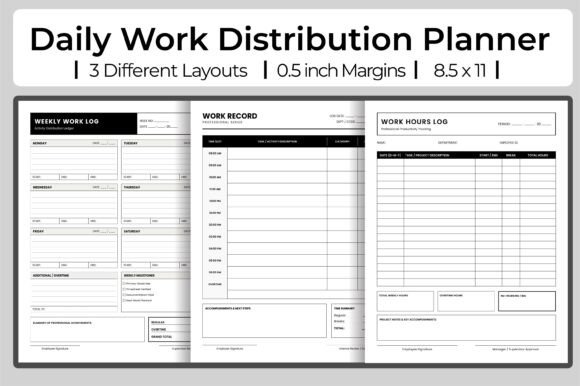
One of the quieter frustrations with traditional planners is that they assume your business stays the same size. The Business Planner included in this KDP interior set handles growth better because you control the format. When you start out, a single income tracker and expense tracker may be enough. As you scale, you can duplicate those pages, reorganize them by month, or create separate sections for different product lines. The annual overview page gives you a high-level snapshot, while the monthly goals and monthly review pages let you zoom in on what actually happened versus what you planned.
This combination of macro and micro planning matters more than most people realize. Without the big picture, you lose direction. Without the weekly and daily breakdowns, you lose traction. A Business Planner that includes both the annual calendar and the daily planner pages in one editable file lets you toggle between strategic and tactical thinking without juggling multiple notebooks.
What Different Users Actually Get Out of It
Digital product creators often tell me they love the product brainstorm and pricing strategy pages because those are the exact sections that generic planners skip. If you sell templates, courses, or printables, your planning rhythm revolves around launches, content schedules, and pricing tests. The Business Planner includes dedicated space for that work, but you can also adapt the weekly and monthly spreads to track content production, email sequences, and affiliate partnerships.
Small business owners who manage physical inventory tend to gravitate toward the supplier contact list, income tracker, and expense tracker. The fact that these pages are print-ready at 300 DPI with standard letter size means they fit neatly into a binder or folder alongside invoices and receipts. There is no awkward resizing or blurry text. Given that the layout has no bleed, you also do not have to worry about trimming edges or misaligned margins when printing at home.
Coaches and consultants often find the goal action journal and improvement plan pages to be the hidden gems. These pages are structured enough to guide serious reflection but flexible enough to adapt to different coaching methodologies. Some use them for their own business planning. Others repurpose them as worksheets for client sessions. Because the file is fully editable in Canva, changing the headings or prompts takes seconds.
A Few Things Worth Knowing Before You Jump In
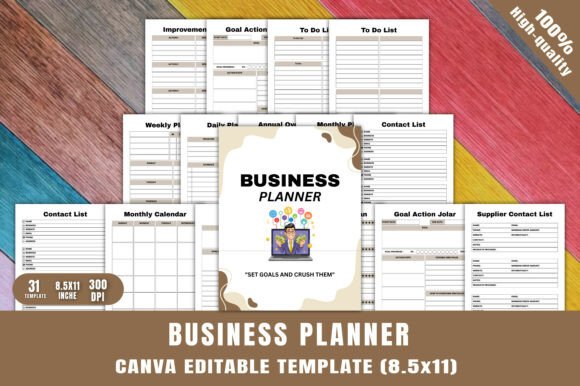
The Business Planner delivers a lot of flexibility, but it helps to know what you are getting into. First, because the pages are no-bleed and designed for standard 8.5 x 11 paper, you will want to confirm that your printer handles that size well. Most home and office printers do, but if you plan to use a professional print shop, double check that they accept no-bleed files. Second, the editable format means you need a free or paid Canva account to make changes. If you already use Canva for social media graphics or branding, the workflow will feel natural. If you are new to the platform, expect a short learning curve as you get comfortable with the editing tools.
Another consideration is the number of pages. Thirty-one unique pages give you a solid foundation, but if your planning style requires heavy repetition of certain spreads like daily pages, you may want to duplicate them in Canva before exporting. This is easy to do, but worth planning for upfront so you do not end up with fewer daily entries than you need.
Also note that this planner is designed for commercial use and KDP publishing. That is a major plus if you plan to sell printed copies or offer the planner as a bonus to clients. The included PDF, JPG, and PNG files make it simple to publish on Amazon or distribute digitally. Just be sure to review the license terms if you intend to resell the template itself rather than printed copies.
Where This Planner Shines and Where It Might Not
On the strength side, this Business Planner excels at giving you professional print quality without requiring design skills. The 300 DPI resolution ensures sharp text and clean lines, whether you print at home or use a commercial service. The variety of page types means you are unlikely to run into a planning need that is not covered, at least in a adaptable form. The inclusion of both monthly and annual overviews, combined with detailed trackers, gives you a complete planning system in one file.
On the limitation side, if you prefer spiral-bound or pre-bound planners, this is a loose-leaf system unless you bind it yourself. That is not a problem for binder users, but if you love the feel of a bound notebook, you will need to take the files to a print shop for binding or use a coil-binding machine at home. Additionally, while the Canva template is highly customizable, it is not an interactive digital planner. You will be printing physical pages or exporting static PDFs, not filling in forms on your tablet.
Another thing to keep in mind is that the planner does not include pre-filled prompts or instructional content on every page. The pages are clean and minimal by design, which gives you creative freedom but also assumes you know what you want to track. If you prefer a guided experience with detailed prompts and examples, you might find the blank structure a bit open at first. That said, once you fill in your own categories and routines, the lack of clutter becomes a strength.
The Business Planner works best for people who know that their planning needs will change over time and prefer a system that changes with them. It suits new entrepreneurs testing different organizational methods, established owners who have outgrown rigid templates, and creators who want a planner they can brand and sell as their own. If you value adaptability over convention, this is the kind of tool that grows with you instead of holding you back.